/ terminal client for nexora
The whole platform,
in your terminal.
Chat with your agents, watch tasks run live, and let them work on your own machine. One quick install, and it connects to any Nexora instance you run.

Installed in one command.
Paste one line and you are done. Nothing else to install, nothing left running in the background. The command below sets up the nexora command; run it again any time to update.
linux / macos
windows · powershell
$ make build-all # linux · darwin · windows, in a Go container
Then point it at your instance.
Nexora CLI connects to your own Nexora or NexoraCloud server, the same one the browser uses. Sign in whichever way suits you.
$ nexora join <token> --url https://…
Redeem a terminal invite from your admin. No account needed.
tokens live in config.toml (mode 0600), auto-refresh on 401, and never get committed.
/ feature coverage
Everything the web UI does.
Now keyboard-driven.
Every feature from the web app is here too. Thirteen screens, each a keystroke away, all showing the same live data.
tab · move between screens
01 / 13
Streaming chat, slash commands, thinking blocks.
Agents that work on your machine.
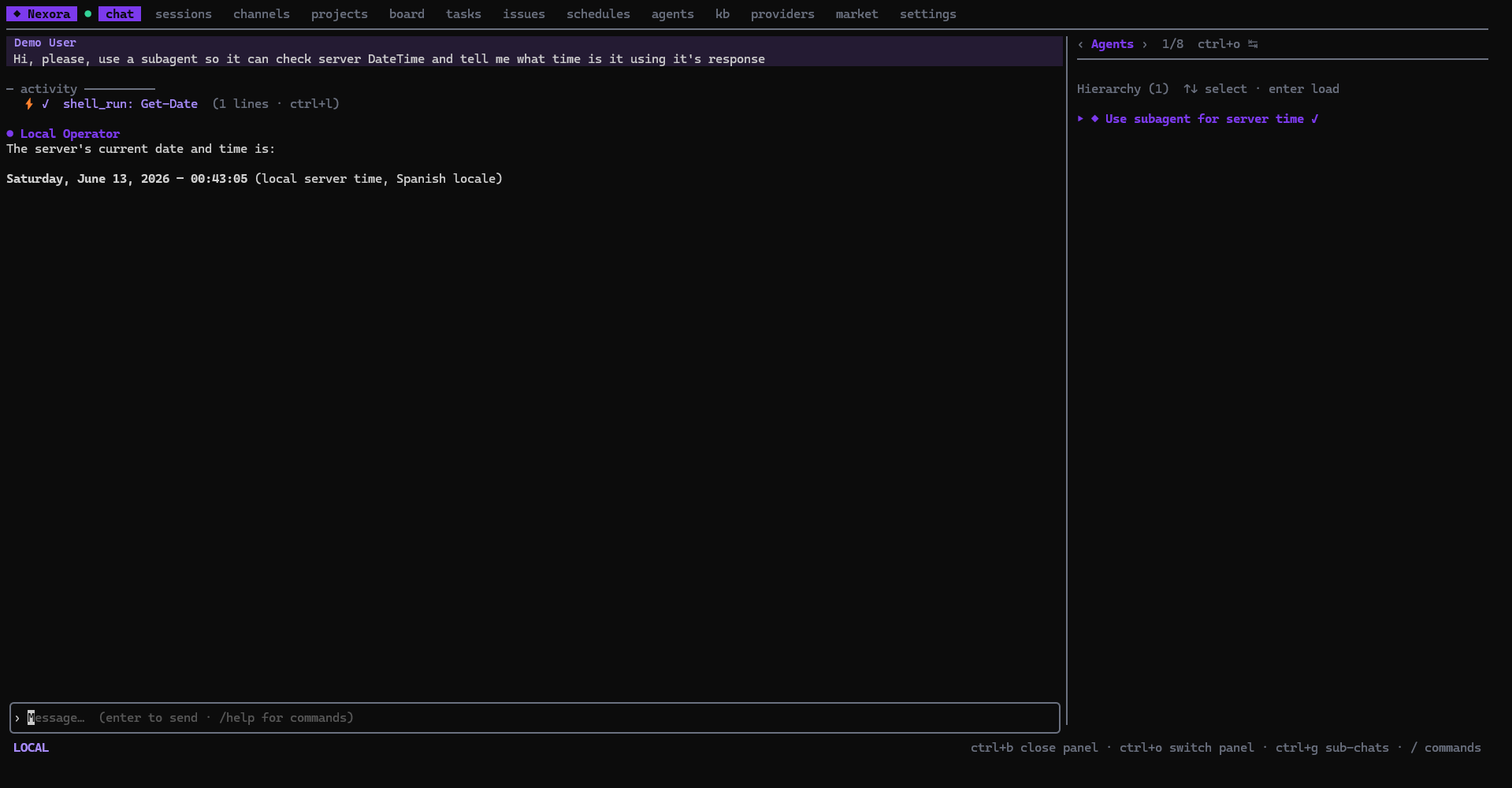
Agents read files and run commands right where you are working, never on the server. Your data, your keys, and your access stay on your own computer. You are always in control: nothing that changes your files runs until you allow it.
- 01
It just runs here
nexoraThere is no toggle. Commands always run on the machine where the CLI runs, never on the Nexora server, and your machine is always in charge.
- 02
Point it at a folder
/cd ~/work/acmeTell it which folder to work in, and change it any time. "List my desktop" really lists your desktop, because the work happens where you are.
- 03
Approve what matters
run migrate.sh? [y/n]Safe, read-only steps run on their own. Anything that changes your files asks first, so nothing happens by surprise.
- 04
See everything it does
⚡ ✓ shell_runEvery command shows up live as it runs, with its full output one keypress away. Nothing is hidden, nothing is cut short.
$ agent wants to run:
⚡ shell_run: ./deploy/migrate.sh --prod
→ approve this write?[y]/[n]
⚡ ✓ shell_run (8 lines · ctrl+l)
applied 3 migrations in 1.2s
⚡ ✓ file_read ./VERSION auto
read-only and safe shell auto-run. writes and arbitrary shell prompt for consent. denials return an error so the turn never hangs.
Never reach for the mouse.
Every screen, panel, and action is a keystroke. Hit ctrl+k anywhere for the command palette, or type / to fire an in-chat command with autocomplete.
> switch to
- agents · manage agents
- providers · llm providers
- board · kanban
in-chat slash commands
/new/agent/model/chain/yolo/cd/usage/copy/help/quit/ self-hosted by design
Your data never leaves
your network.
Nexora CLI talks only to the server you run, the same way the browser does. No tracking, no company in the middle. It is something hosted AI tools simply cannot offer, and with self-hosted Nexora you get it by default.
<url>/api/*Authorization: Bearer <jwt | nxr_key>, transparent refresh on 401
<url>/ws/chat/{id}chunk · tool_call · sub_agent · task_updated frames, live
nexora instance use prodhold many instances, switch the active one without re-auth
One instance, three clients.
Run the platform however you work. The CLI is one of three first-party clients that all talk to the same self-hosted instance.
The full console for building agents and running the platform.
open →This one. Everything the web app does, in your terminal.
you are hereScan a code once, then chat with your agents on the go.
open →Get Nexora CLI.
One command to install. Then run nexora and connect to your instance.
one line, any platform